Top Wifi Smart Switch Tips for a Smarter Home?
In today's fast-paced world, upgrading your home with a Wifi Smart Switch can make life easier. These devices offer convenience and flexibility, allowing you to control your lights and appliances from anywhere. Imagine turning off the lights just before you arrive home, or adjusting the thermostat with a simple tap on your phone.
However, not every instalment is without its challenges. Setting up a Wifi Smart Switch may require some technical know-how. Users often struggle with connectivity issues or app configurations. It’s essential to choose reliable products that work smoothly with your existing home system. Taking time to research the best options can save frustration later.
A well-implemented Wifi Smart Switch can transform daily routines. It can help save energy and reduce electricity bills. Yet, without proper planning, you might find yourself overwhelmed by too many devices. Balancing convenience and simplicity is key. Embrace technology, but remember to keep your smart home manageable.
Understanding Wifi Smart Switches: A Beginner's Guide
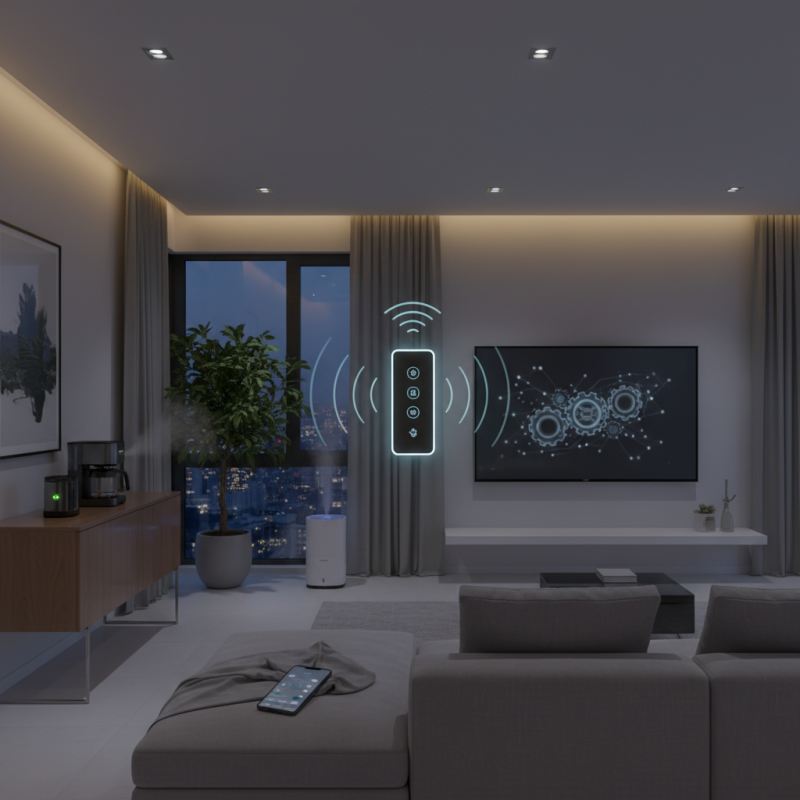
Wifi smart switches are changing how we interact with our homes. These devices allow you to control lights and other appliances with your smartphone. It's convenient, but it can be a bit overwhelming for beginners. Setting up these switches often requires a stable WiFi connection. Some users encounter issues during installation. It’s essential to read the manual thoroughly. Each device can have unique requirements.
Using these switches gives you control over your home’s ambiance. You can create schedules for when lights turn on or off. This saves energy and provides security. However, sometimes the connection drops unexpectedly. This can lead to frustration when you try to access your devices remotely. Regularly checking your WiFi signal can be beneficial.
Additionally, integrating smart switches with voice assistant technology can enhance your home experience. But compatibility may vary. Not all switches work with every system, which can be confusing. Users should research compatibility before purchase. Balancing convenience with ease of use is key in making smart switches a valuable addition to your home.
Key Features to Look for in Wifi Smart Switches
When looking for Wifi smart switches, consider their key features. A user-friendly interface is essential. Intuitive apps often lead to less frustration. Look for energy monitoring capabilities. This feature helps track electricity usage and savings. It’s a small detail but can make a difference in efficiency.
Compatibility with voice assistants is another must. This allows for hands-free control, making your life easier. Smart scheduling is crucial too. Setting timers for your lights can enhance your home’s security. You might forget sometimes, but the switch won’t.
Don’t overlook build quality. A sturdy design ensures longevity. Sometimes, the best-looking switches might not hold up well. It’s important to balance aesthetics with durability. Installation should also be straightforward. Complicated setups can be off-putting. A good smart switch should ideally fit seamlessly into your space while functioning well.
Installation Process for Wifi Smart Switches: Step-by-Step
Installing WiFi smart switches can seem daunting, but with a structured approach, the process is manageable. A report from Statista indicates that the smart home market could reach $174 billion by 2025, showcasing the growing interest in such technologies. Begin by ensuring the power is off at the circuit breaker to prevent accidents. Safety is crucial. Check if your existing switch setup has a neutral wire. This step is often overlooked but essential for proper functionality.
After confirming the wiring, gather your tools. You’ll need a screwdriver and wire connectors. Carefully remove the old switch and take note of the wiring layout. It's easy to confuse connections. Secure the new smart switch according to the color-coded wiring instructions. This attention to detail can save you troubleshooting later. Research shows that around 30% of users face issues due to incorrect installations, emphasizing the importance of accuracy.
Finally, restore power and follow the manufacturer's instructions to connect the switch to your WiFi network. Ensure the app is compatible with your smartphone. Users may experience connection issues, leading to frustration. Regularly revisiting your setup can help maintain functionality. This process can transform your home. Embrace the journey of creating a smarter living space.
Tips for Optimizing Wifi Smart Switch Performance
Enhancing the performance of your WiFi smart switch can significantly improve your home automation experience. Start by ensuring that your switch is placed within a strong WiFi signal zone. Walls and large furniture might interfere with connectivity. Aim for a direct line of sight. Positioning can make a notable difference.
Optimizing your home’s network also helps. Invest in a quality router that supports multiple devices. Regularly update the firmware on your smart devices. Bugs can hinder their performance, so staying updated is essential. You might overlook this step, but it’s crucial.
Consider using a mesh network if your home has dead zones. These systems are designed to eliminate weak spots. However, it’s not foolproof. You might still encounter issues depending on your home’s layout. Keep an eye on device management; unnecessary connections can slow down your performance. Always be mindful of these details to maximize efficiency.
Integrating Wifi Smart Switches with Smart Home Systems
Integrating WiFi smart switches into your smart home system can enhance convenience and efficiency. According to industry data, homes with smart technologies can reduce energy consumption by 10-15%. Smart switches allow you to control lights and appliances remotely or through automation. This can be a game-changer for energy savings.
However, the integration process may not be seamless. Not all smart switches are compatible with every smart home system. Users often face challenges in connecting devices. A survey revealed that nearly 30% of consumers experience some difficulties. It’s essential to research compatibility before purchasing smart switches. This ensures your systems work harmoniously.
Moreover, consider your home layout. WiFi strength can be an issue in larger homes. Weak signals could lead to delays or disconnections. Survey results show around 20% of users encounter connectivity problems. Reflecting on these challenges can help you prepare and create a more reliable smart home. Planning and understanding your needs are crucial for success in this technology.
Top Wifi Smart Switch Integration Performance
